BEON.RUN for organizers
Show your race live. From every angle.
Fans at the finish and at home see the course, the runners' positions and live streams from the race. You decide who's on the big screen.
What you can do
Everything a live event needs
-
Create your event
A race page with a description, a GPX course, the start location and date – ready to share.
-
Take registrations
Runners sign up on the event page, and you accept or decline them.
-
Invite runners to live tracking
Runners get an invite, see exactly what will be shown, and switch tracking on themselves on race day.
-
Show many runners
Every runner on one map and several streams from the course at once on the event page.
-
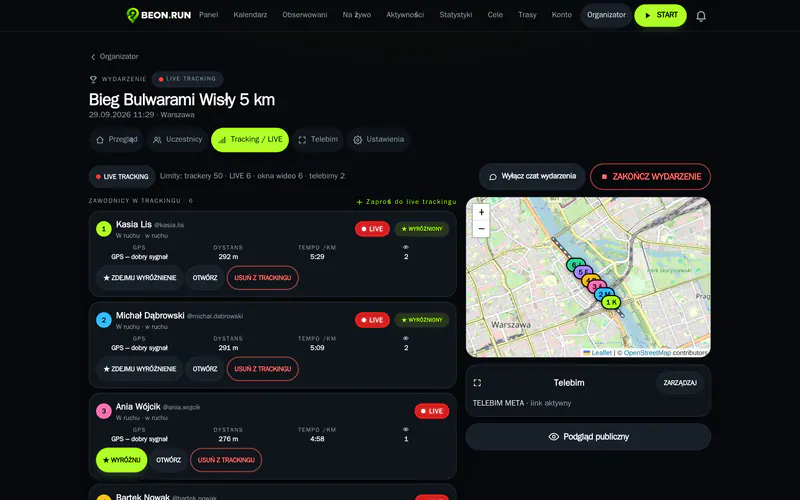
Run it from the control room
See everyone in one place, feature runners and manage the event chat.
-
Put it on the big screen
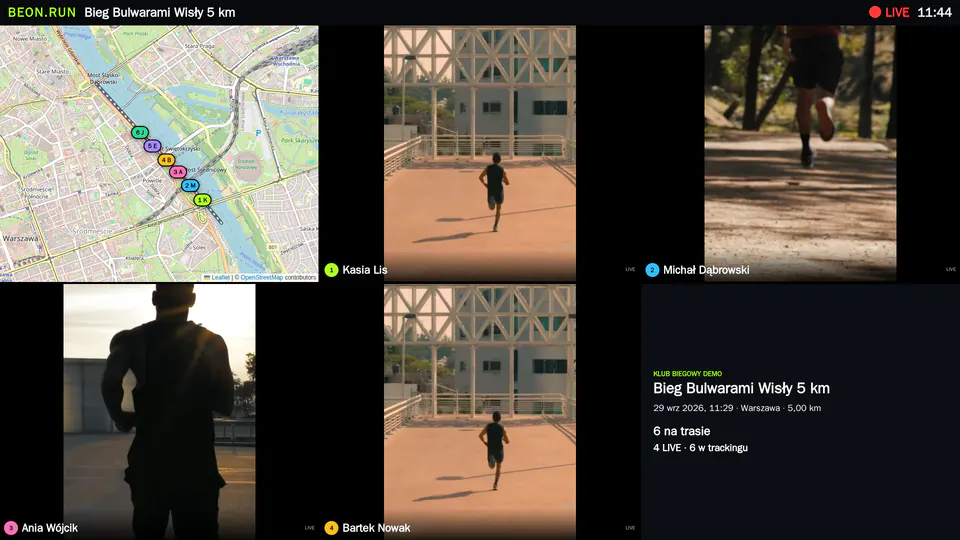
Open the big screen on any display – streams, map and info refresh on their own.
See it in action
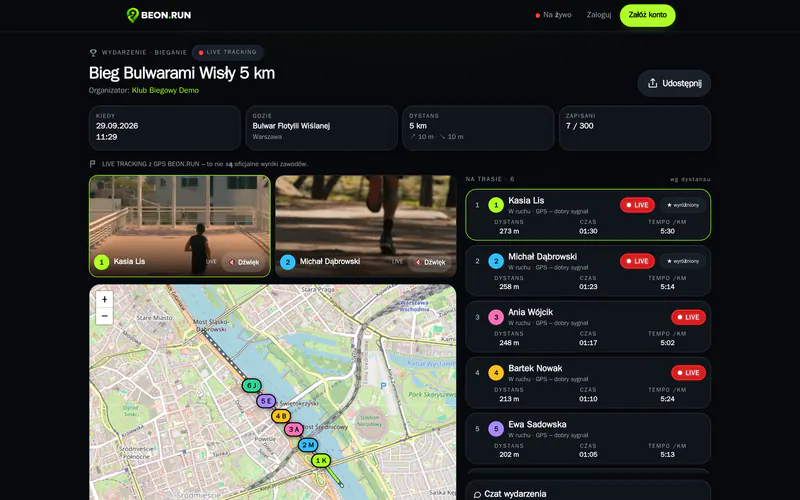
An event page for fans
Fans open one link and see the course, runners on the map, live streams and the event chat. No login, no app.
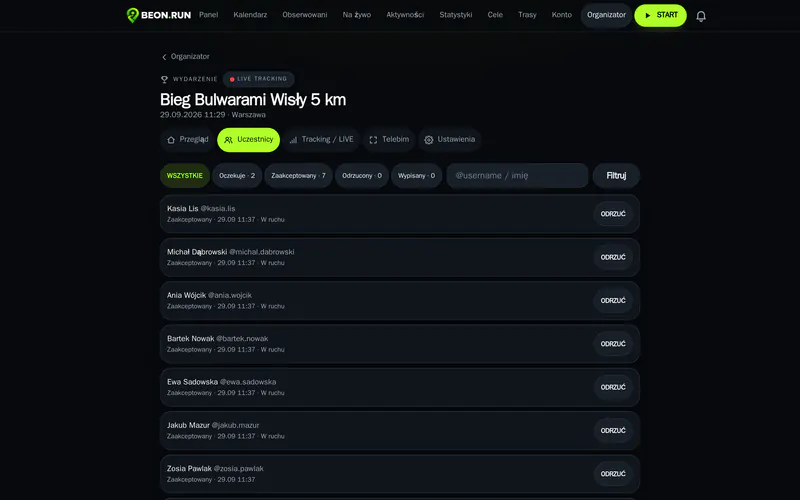
Registrations and runners in one dashboard
Accept registrations, invite runners to tracking and see who's already out on the course.
The control room
A map of every runner, stream previews and a feature button – switch runners without interrupting the broadcast.
A big screen that runs itself
Up to six stream windows, the course map and event info. Change the runner in any window from the control room and the screen switches live.
On race day
From start to finish – live
-
1
Start
You start event tracking. The fan page switches to live mode.
-
2
Runners join tracking
Each runner turns on GPS with one tap – and a live stream if they want.
-
3
GPS appears on the map
Fans see every runner's position and route in real time.
-
4
Streams from the course
Several streams at once show the race from different points on the course.
-
5
You feature runners
From the control room you choose who to show – on the page and on the big screen.
-
6
The big screen, live
The screen at the finish switches streams with no refresh and no one at the laptop.
Why organizers use it
More excitement for fans, less work for you
- Show your event from several angles – from the course, not just the finish line.
- Switch runners on the big screen without interrupting the broadcast.
- Let fans follow the course remotely – families see where their runner is.
- No studio, cameras or director – the runners' phones are enough.
- Runners always decide whether to share their location and video.
- One event link – for social media and your poster.
Getting started
Your organizer account in three steps
- 1Create a BEON.RUN account and fill in the organizer application.
- 2Once verified, you get the organizer dashboard.
- 3Create your event, publish it and take registrations.
Good to know
- BEON.RUN shows your race live – it isn't a timing system. Keep running official results and chip timing as you do today.
- The number of streams shown at once is capped at the platform's tested capacity, so the video stays stable for every viewer.
- Streaming and GPS depend on coverage along the course. When the signal drops, positions are sent once it's back and streams reconnect on their own.
Questions & answers
Do runners need to install an app?
No. Runners use BEON.RUN in their phone's browser. They only need an account to accept the tracking invite.
How many runners can I track?
Each event has limits for tracked runners and streams, shown in the organizer dashboard as your package. Live video streams are capped at what the platform handles reliably.
Do fans need to log in?
No. The public event page with the map and streams is open to anyone with the link.
Can I show the event on a big screen?
Yes. Open the big screen in a browser on a computer connected to the display. You can renew the screen link at any time, and the old one stops working.
Does it replace race timing?
No. BEON.RUN shows the event live – official results stay in your timing system.
How much does it cost?
You apply for an organizer account. Extra capacity packs will launch together with payments – we don't show prices that aren't final yet.
Show your race to fans everywhere
Create an account, apply as an organizer and set up your first live event.