Routes & GPX
Running routes and GPX in one place
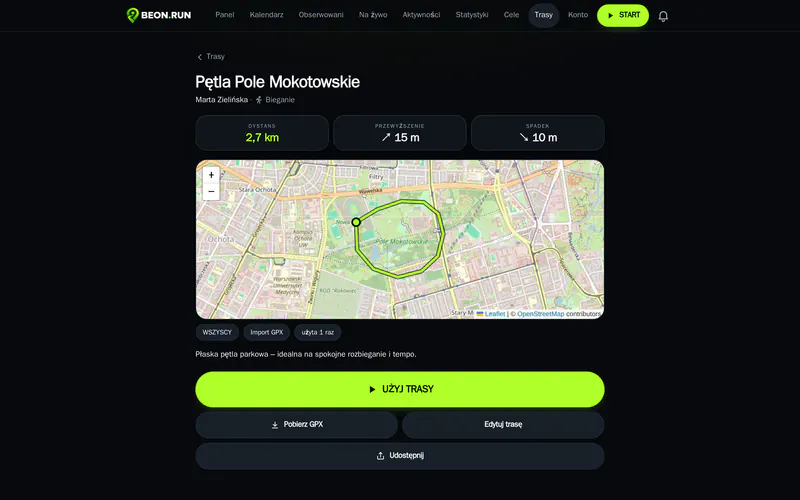
Import a route from a GPX file or save one from a finished activity. While you run you see it on the map – and if you stray, BEON.RUN lets you know.
- GPX import and export
- Turn an activity into a route in one click
- Alerts when you go off course
How it works
- 1 Import a GPX or save a route from an activity
- 2 Pick the route before you start
- 3 Run – BEON.RUN warns you if you stray
Your routes, always at hand
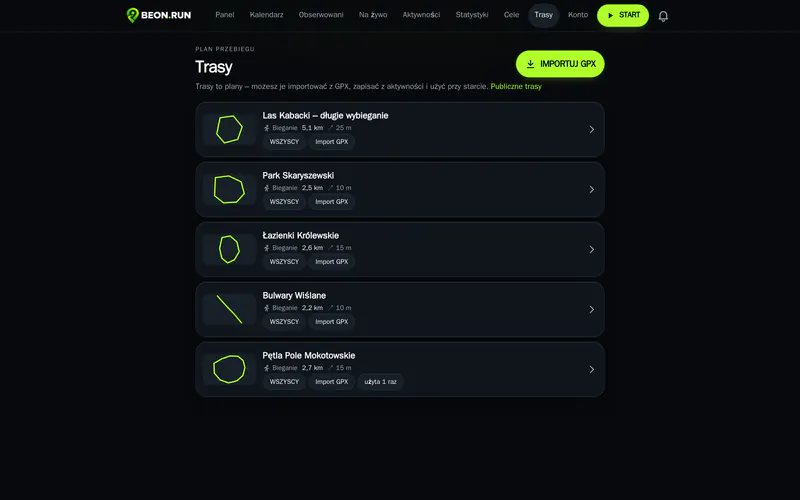
Collect your favourite loops, race courses and new training ideas. Keep each one to yourself, share it by link or publish it to public routes.
- Import GPX from your watch or another app
- Save a route from a finished activity
- Export back to GPX
Run your route with guidance
Pick a route before you start and see it on the map on your phone. Drift away and you get a warning; get back on track and it disappears. Viewers see the planned route next to the one you've run.
- Your planned route on the map as you run
- An alert when you go off course
- Plan vs. actual after the run
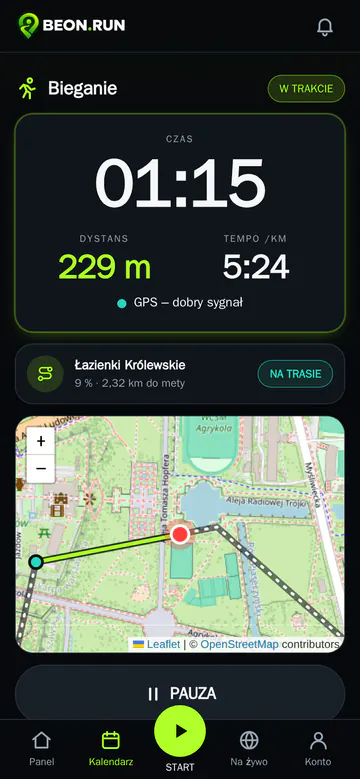
Your route works even when the network doesn't
The route line is on your phone from the moment you start, so guidance keeps working without signal. The map background may not load – but you keep your direction.
Learn more
Route guidance is an off-course alert, not turn-by-turn navigation. You see the route on the map and know when you're drifting away from it.
Public routes can hide the first and last stretch so you don't show where you start your runs.
Attach a route to a planned workout or a stream – viewers see the plan and your current position on the same map.
Questions & answers
Which files can I import?
GPX files from watches, training apps and route websites.
Is it turn-by-turn navigation?
No. You see the route on the map and get a warning when you leave it.
Do maps work offline?
The route line and alerts work without signal, but the map background needs internet. BEON.RUN doesn't offer offline maps.
Can I share a route?
Yes – by link or in public routes. Or keep it just for yourself.
Your next run can be live
Create a free account and send your first link before your next workout.